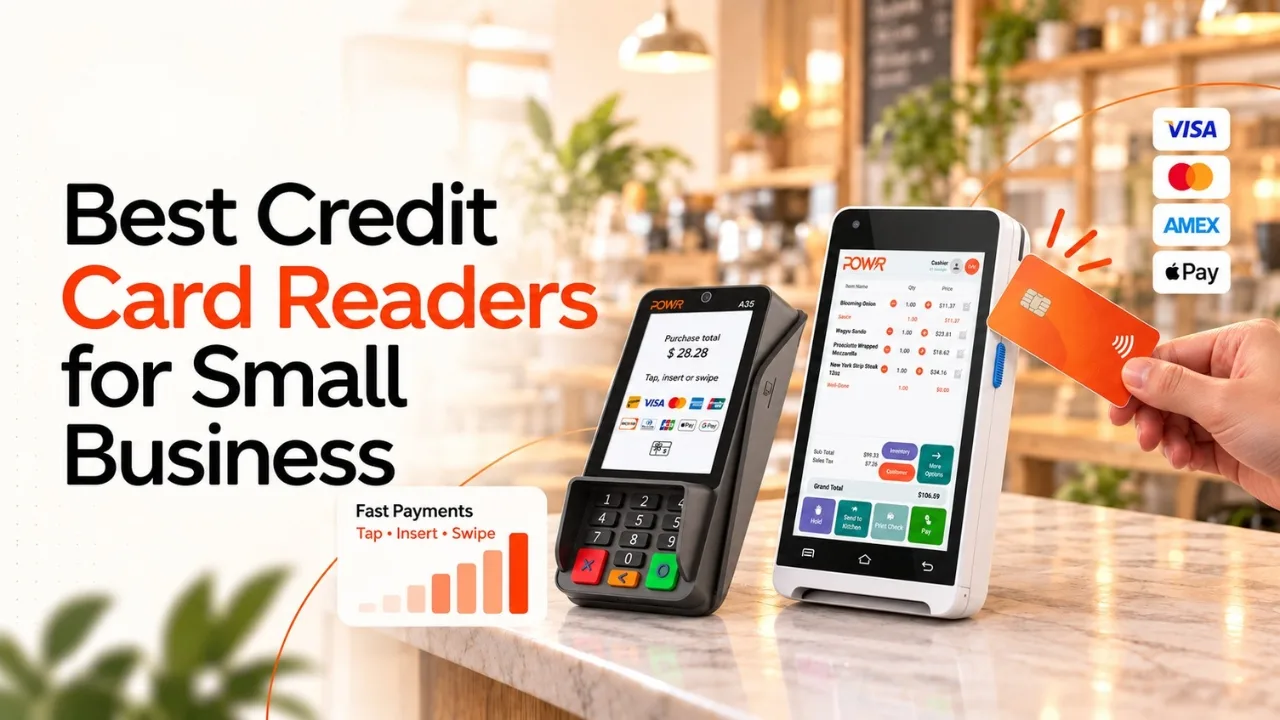
Choosing the right credit card reader for small businesses can help them to make payments faster, easier, and secure. Customers today highly expect contactless payments, digital wallets, and convenient checkout experiences, businesses require reliable payment technology that is suitable for their operations and budget.
The best credit card readers for small businesses are the ones that support chip cards, tap-to-pay transactions, mobile payments, receipts, reporting, and integration with point-of-sale systems.
While comparing credit card readers, business owners should check beyond hardware prices. They must also check processing fees, monthly expenses, connectivity, security, battery life, payment methods, POS integrations, inventory tools, customer management, and scalability all can affect the overall value of a payment solution.
Whether you are running a retail store, restaurant, food truck, service company, or ecommerce business with in-person sales, choosing the right card reader can make transactions simple and improve the customer experience.
Modern POS platforms can provide even more functionality. POWR POS combines point-of-sale technology with payment processing, inventory management, online ordering, delivery, loyalty programs, gift cards, employee management, reporting, and other business tools.
This makes it relevant for businesses searching for a connected solution instead of being a standalone payment device. Through this blog, we explore the best credit card readers for small business, compare important features and costs, and explain what to consider before choosing a payment solution.
What Is a Credit Card Reader?
A credit card reader is a payment device that allows a business to accept card-based transactions. Based on the hardware, customers can make payments by either inserting a chip, tapping a contactless card or mobile wallet, or swiping a magnetic-stripe card.
Modern readers can be small in size and connect to smartphones through Bluetooth, while other readers are standalone terminals with displays, keypads, receipt printers, barcode scanners, Wi-Fi, cellular connectivity, and built-in POS software.
There are several common categories:
1. Mobile Card Readers
Mobile readers are compact devices designed to work with smartphones or tablets. They are useful for:
-
Pop-up shops
-
Market vendors
-
Freelancers
-
Mobile service providers
-
Food trucks
-
Event businesses
-
Home-service professionals
They can reduce upfront hardware expenses but may require a separate smartphone or tablet.
2. Tap to Pay
Tap to Pay allows compatible smartphones to accept contactless payments even without a separate card reader. Tap to Pay can be useful for businesses that process occasional transactions or need maximum mobility.
Smartphone-based payments offer convenience and portability, but dedicated terminals may provide stronger battery life, built-in connectivity, receipt options, and advanced POS functionality.
3. Smart Terminals
A smart terminal combines payment acceptance with a screen and additional business functionality. Based on the provider, it may support:
-
Inventory
-
Product catalogs
-
Receipts
-
Employee management
-
Reporting
-
Customer profiles
-
Digital wallets
-
Barcode scanning
-
Offline payments
-
Loyalty programs
Standalone smart terminals are ideal for businesses that need more advanced functionality and features than a basic mobile card reader can provide.
4. Full POS Systems
A full point-of-sale system does more than payment acceptance. These systems can integrate sales, products, inventory, staff, customers, reporting, online ordering, and payment processing. Full POS systems are essential for restaurants, retail stores, growing businesses, and companies that are operating across multiple locations.
Top Credit Card Readers for Small Business Owners

1. POWR POS
POWR POS has a broader approach than a basic card reader. Its platform integrates point of sale, payment processing, inventory, online ordering, delivery, loyalty, gift cards, employee management, AI-powered tools, and real-time reporting. Their platform is designed for both restaurants, retail businesses, and offers cloud-based solutions for managing business operations.
One important feature of POWR POS is processor flexibility. POWR POS supports payment processing through multiple providers, including Fiserv, Worldpay, TSYS, Elavon, Global Payments, and Valor.
Key POWR POS Features
-
Point of Sale: Its platform supports quick checkout, product catalogs, menus, modifiers, discounts, refunds, split payments, and digital or printed receipts.
-
Payment Processing: Its platform supports EMV, contactless, NFC, Apple Pay, Google Pay, and multiple payment processors.
-
Inventory Management: Its platform provides real-time stock tracking, purchase orders, vendor management, and low-stock notifications.
-
Online Ordering: Its platform connects branded ordering, eCommerce, pickup, curbside, delivery, and online payments.
-
Customer Engagement: Its platform includes loyalty programs, gift cards, promotions, and email/SMS engagement.
-
Reporting: Its platform provides sales, labor, inventory, and multi-location reporting through a centralized dashboard.
For businesses that need a standalone card reader, POWR POS offers a broader approach which is essential. Businesses can consider the payment device as being an integrated part of their broader technology and operational infrastructure instead of being a standalone payment tool.
Who Should Consider POWR POS?
POWR POS is particularly relevant for restaurants and retailers that need connected operations instead of only basic card acceptance. This platform is designed around multiple selling environments and centralized management.
2. Square
Square is a popular POS and payment processing platform for small businesses. They provide hardware and software essential for accepting card and contactless payments.
Their payment ecosystem includes mobile card readers, payment terminals, POS software, inventory management, customer tools, and other business features. This makes this platform useful for businesses wanting to manage payments and daily operations through a single platform.
Square offers hardware expenses starting at $59, while processing fees begin at 2.6% + $0.15 per transaction for the cited setup. Its compact readers accept chip and contactless payments, with select configurations supporting offline transactions.
Square May Fit
-
New businesses starting with basic payment equipment
-
Mobile sellers needing portable payment options
-
Retailers managing products and inventory
-
Service businesses accepting customer payments
-
Pop-up shops requiring flexible hardware
-
Existing Square users wanting an integrated ecosystem
Businesses should compare all expenses like hardware costs, processing fees, software features, account policies, and payment availability before choosing a Square solution.
3. Clover
Clover offers a range of payment and POS hardware, including handheld and countertop devices. Clover Flex, for instance, is designed as a portable terminal and includes features like touchscreen, receipt printing, barcode scanning, Wi-Fi, and LTE connectivity.
Clover Flex is generally positioned at a higher price point than basic mobile card readers, reflecting its additional features, dedicated hardware, and broader payment functionality. Clover can therefore be considered when a business wants more than a simple phone connected card reader.
Potential Use Cases
-
Restaurants
-
Retail stores
-
Counter-service businesses
-
Mobile checkout
-
Tableside payments
-
Businesses requiring receipts
Businesses should carefully examine the specific Clover plan, processor relationship, contract terms, and hardware package because pricing can differ.
4. Shopify POS
Shopify POS is a point-of-sale solution designed for businesses that want to connect their physical stores with online ecommerce operations. It is particularly relevant for businesses already using Shopify to sell products online because it can bring in-person transactions, inventory, customer information, reporting, and ecommerce activity into one connected system.
Shopify offers several hardware options, such as compact card readers, dedicated POS terminals. These devices allow businesses to accept payments in physical locations while keeping their online and offline sales operations connected.
Shopify’s July 2026 comparison shows hardware prices starting at $49 and POS plans from $39 per month, while payment processing rates differ based on the chosen plan and setup.
Shopify POS Can Be Useful For
-
Ecommerce businesses: Connect online sales with physical transactions.
-
Retail stores: Manage products, inventory, and in-store purchases.
-
Omnichannel brands: Coordinate customer experiences across online and offline channels.
-
Pop-up shops: Use portable payment hardware for temporary locations.
-
Existing Shopify merchants: Extend their current ecommerce system into physical selling.
Businesses should consider whether they need Shopify’s broader ecommerce ecosystem specifically if their operations are mainly focused on a single physical location.
5. Stripe Terminal
Stripe Terminal is a payment solution for in-person transactions that connects with Stripe’s broader payment infrastructure. It is designed for businesses that want to manage online and offline payments through a connected system while maintaining greater control over their checkout experience.
Stripe offers different hardware options and also supports Tap to Pay on compatible smartphones, giving businesses multiple ways to accept payments.
Stripe Terminal hardware includes the Stripe Reader M2 at $59 and the $710 at $299, while processing fees for the cited domestic card-present configuration begin at 2.7% + $0.05 per transaction. Actual expenses can differ based on the business’s payment setup and applicable pricing.
Consider Stripe Terminal If You Need
-
Custom checkout experiences: Build payment flows around specific business requirements.
-
API access: Integrate payments with websites, applications, and business systems.
-
Online and in-person payments: Connect different payment channels through Stripe.
-
Multiple hardware options: Choose devices based on operational needs.
-
Developer flexibility: Customize payment workflows and integrations.
-
Omnichannel infrastructure: Manage payment experiences across sales channels.
Stripe Terminal offers flexibility, but businesses may need more technical implementation and development work than with simpler plug-and-play POS solutions.
6. PayPal Point of Sale
PayPal Point of Sale, earlier associated with PayPal Zettle, provides businesses with mobile and terminal-based payment solutions. They can help merchants accept card and contactless payments while managing transactions through a connected point-of-sale application.
The solution may be specifically relevant for businesses that already use PayPal for payments or other financial activities and want to extend those capabilities to in-person sales.
PayPal card readers are available from $29, with processing rates beginning at 2.29% + $0.09 per transaction for the specified setup, while expenses and features differ by hardware and account configuration.
Potential Advantages
-
Portable hardware: Suitable for businesses that need mobile payment acceptance.
-
PayPal integration: Connects in-person transactions with the PayPal ecosystem.
-
Contactless payments: Supports convenient tap-based payment methods.
-
POS application: Provides tools for managing sales transactions.
-
Inventory capabilities: Supported configurations may include inventory management features.
-
Flexible setup: Some configurations may not require a long-term commitment.
Businesses should compare the device, software features, processing rates, and account terms to determine which PayPal Point of Sale setup matches their operational requirements.
7. Helcim
Helcim is a payment processing and card reader solution that may appeal to businesses focused on understanding and managing their payment-processing expenses.
It provides card payment hardware alongside a pricing structure designed to show how transaction expenses are calculated. This can be useful for merchants that want to examine processing expenses beyond a simple advertised transaction rate.
Helcim’s card reader costs $199, with processing rates starting at 1.83% + $0.08 per transaction. Its interchange-plus pricing model means actual costs can differ based on transaction details and card type.
Helcim May Suit
-
Growing merchants: Businesses growing their payment operations can evaluate detailed processing expenses.
-
Higher-volume businesses: Transaction expenses may become more important as sales volume increases.
-
Businesses comparing pricing models: Merchants can compare interchange-plus pricing with other processing structures.
-
Merchants seeking pricing transparency: The model provides more visibility into different components of processing expenses.
Businesses should estimate their monthly transaction volume, average ticket size, card mix, and total processing expenses instead of comparing providers solely by their advertised percentage.
8. Toast
Toast is a restaurant-based technology provider that combines POS hardware, payment processing, ordering, and restaurant management tools. Its handheld devices, like the Toast Go 3, are designed to support restaurant operations where employees need to take orders and accept payments directly at the table or throughout the dining area.
Key features can include
-
Tableside payments: Staff can accept payments directly at the table, helping streamline the checkout process.
-
Handheld ordering: Servers can enter orders from the dining area and send them into restaurant workflows.
-
Tips: Toast supports tipping during the payment process, which can simplify tip collection.
-
Restaurant POS: Its hardware and software are designed around restaurant-specific ordering and payment needs.
-
Payment acceptance: Businesses can accept common payment methods, including contactless payments.
-
Connectivity: Certain devices support cellular connectivity and battery-powered operation.
-
Offline capabilities: Some payment functionality can continue during connectivity interruptions, subject to applicable requirements.
Before choosing Toast, restaurants should evaluate the hardware expenses, software fees, payment processing rates, contract terms, and available integrations together instead of comparing only the upfront device price.
9. SumUp
SumUp provides compact and portable payment solutions designed for businesses that need convenient card payment acceptance without investing in complex POS hardware.
Its readers can be particularly suitable for small businesses and professionals who frequently accept payments away from a traditional checkout counter.
The SumUp Plus is priced at $54, with processing rates starting at 2.6% + $0.10 per transaction and no monthly subscription or minimum processing requirement under the cited 2026 pricing configuration.
SumUp Can Be Useful For
-
Market sellers: Portable readers supporting payments at markets, fairs, and events.
-
Freelancers: This platform is useful for professionals accepting payments directly from customers.
-
Mobile businesses: Compact, portable payment devices make it easy to accept payments while they are moving between different locations.
-
Pop-up stores: Portable payment devices offer flexible transaction processing for temporary retail locations, events.
-
Small service providers: Simple payment devices allow small businesses to accept card payments quickly and conveniently from customers.
Businesses should consider device compatibility, as some SumUp readers need a smartphone or tablet, while other models are designed to operate independently.
10. Lightspeed
Lightspeed integrates payment processing, POS functionality, and business management tools within a broader cloud-based platform. Its Mobile Terminal is designed for portable checkout and works with the Lightspeed POS ecosystem that allows businesses to manage transactions while accessing other operational features.
The Lightspeed Mobile Terminal costs $399, while POS software pricing begins at $89 per month.
Lightspeed May Be Relevant For
-
Inventory management: Businesses can organize and monitor products across their operations.
-
Ecommerce integrations: Retailers can connect online and in-store selling activities.
-
Accounting connections: Integration options can help connect sales information with accounting systems.
-
Marketing integrations: Businesses can connect marketing tools to support customer engagement.
-
Portable checkout: The Mobile Terminal enables businesses to accept payments away from a fixed counter.
-
Product management: Retailers can manage product information through the POS platform.
Lightspeed may be suitable for businesses that are looking for a broader POS ecosystem instead of being a standalone card reader.
11. KORONA POS
KORONA POS provides an all-in-one point-of-sale designed to support payment acceptance and broader business operations. This platform supports chip and contactless payments, giving businesses options for handling different types of card transactions.
Its flexible setup can be specifically relevant for businesses needing to connect their POS system with a payment processor that fits their requirements.
Key Features of KORONA POS Include
-
Payment flexibility: KORONA POS can work with different payment processors instead of requiring businesses to use a single built-in processor.
-
Chip payments: Businesses can accept EMV chip-based card transactions through compatible payment hardware.
-
Contactless payments: Its platform supports contactless payment methods for convenient checkout.
-
Multiple POS configurations: Its platform supports businesses to configure POS systems as per their operational requirements.
-
Multi-location support: Its platform supports companies operating in multiple locations and can manage their POS environment across different sites.
-
Processing options: Businesses can retain more flexibility while choosing payment-processing services.
KORONA POS can therefore be considered by businesses that are seeking POS flexibility, payment options, and multi-location capabilities.
What Should You Look for in a Credit Card Reader?
Choosing a credit card reader involves more than comparing the purchase price. Businesses should consider their transaction volume, customer payment preferences, operating environment, connectivity needs, and existing software.
Below are the following eight factors that can help businesses to evaluate different card readers.
1. Payment Methods
A card reader should support the payment methods that your customers commonly use. Modern businesses may need to accept EMV chip cards, contactless cards, NFC wallets, magnetic stripe cards, Apple Pay, Google Pay, and other digital wallets. Offering contactless payment capabilities is useful for businesses that want to offer faster checkout options.
2. Processing Fees
Transaction fees can have an important effect on long-term expenses. Compare the percentage rate, per-transaction charge, monthly software fees, chargeback fees, refund expenses, gateway charges, and contract-related expenses. A cheaper credit card reader may become more expensive over time if it comes with higher processing expenses.
3. Hardware Cost
Businesses must consider the type and number of devices your business requires. For instance, a freelancer may only require a single compact mobile reader, while restaurants could require several handheld terminals for tableside services. While larger retailers may require countertop terminals, scanners, receipt printers, and other POS equipment.
4. Connectivity
Having reliable internet connectivity is essential for accepting payments. Depending on your business environment, they must look for support for Wi-Fi, Bluetooth, Ethernet, cellular/LTE, USB, or smartphone connectivity.
Mobile businesses may benefit from cellular connections, while fixed checkout counters may work well with Wi-Fi or Ethernet.
5. Offline Payments
Any internet interruptions can prevent businesses from completing transactions unless the payment system supports offline functionality. Some platforms offer offline payment capabilities under certain conditions.
Before relying on this feature, they must check transaction limits, availability, security requirements, and when transactions must reconnect to the payment network.
6. Battery Life
Battery life is important for businesses using portable readers throughout the day. Restaurants, food trucks, markets, events, and mobile service providers may require devices that can operate for extended durations without frequently charging. Having a charging dock or backup power option can help to keep devices available even during busy business hours.
7. POS Integration
A card reader should integrate smoothly with the software that your business already uses. Essential integrations include inventory management, accounting, ecommerce, CRM, employee management, loyalty programs, marketing, online ordering, delivery, analytics, and payment gateways. Strong integration can reduce manual data entry and simplify business management.
8. Security
Security should be a fundamental consideration while choosing payment hardware. They must search for features and compliance capabilities like EMV support, encryption, tokenization, secure authentication, and secure software updates. Businesses should also understand their responsibilities for maintaining payment security and protecting customer transaction data.
Conclusion
Choosing the right credit card reader for a small business goes beyond finding the lowest hardware price. Businesses should consider the way they card readers accept payments, their average transaction volume, preferred payment methods, and the technology they already use.
A compact mobile reader may work well for freelancers, market sellers, and service providers, while restaurants and retailers may require advanced terminals with integrated POS features.
While comparing options, review the complete pricing structure, that includes processing fees, software subscriptions, hardware expenses, contract terms, and additional charges.
Features such as contactless payments, connectivity, battery life, offline capabilities, security, and POS integrations can also affect the overall value of a payment solution.
Businesses should also consider future requirements, including additional locations, employees, inventory management, ecommerce, and customer loyalty programs.
Taking these factors into account can make it easier to identify a credit card reader that fits current operations while providing the flexibility needed as the business develops and payment needs change.
If you still have any query about best credit card readers for small business then you may write to POWR POS and we are more than happy to assist you.